Loading employee portal…
W2MS employee portal profile & team.
Sign in with your W2MS team account to manage profile settings and team roster.
Employee portal team access only.
This area is reserved for W2MS employees. Manage products and access at w2ms.com/account.
Employee portal
Welcome,
Profile
Your account details and security settings.
Signed in as
- Name and email
- Update your sign-in password
-
Two-factor authentication Off
Add an extra step to keep your account secure. You will need your password and a one-time code when signing in.
- Traffic, conversions, and leads from w2ms.com
-
Virtual card alerts On
Email me when someone opens or uses my virtual business card. This only affects your card.
Danger zone
Deleting your account signs you out and removes access to connected Veracta and MeterSense products. You can reactivate within 30 days by signing in again.
Projects
Internal boards grouped by project line. Choose personal, team-wide, or shared visibility when you create a board.
Clients
Click a client row to open their detail page - manage projects, quotes, invoices, and service contracts from there.
Quotes
Active quotes and quick adds. Approve a quote to move it to Client Projects, or link it to an existing project.
Invoices
All invoices across client projects.
Service contracts
Build, track, and update software license agreements. W2MS is the default issuer; switch to KonnectSys when needed.
Website projects
Add product cards to the W2MS homepage. Fill in the template text and they appear on w2ms.com under Our products.
Weekly hours
Hours logged per project board, broken down by day.
User directory
Employees and customer accounts on w2ms.com. Change position with the dropdown where permitted. Owners can delete any account; deleted users can reactivate within 30 days by signing in.
MeterNet accounts
Registry of customer MeterNet deployments - business name, activation key, version, and license settings.
Team roster
Manage W2MS employees, developers, and owners. Grant directory or MeterSense access to selected team members.
Newsletters
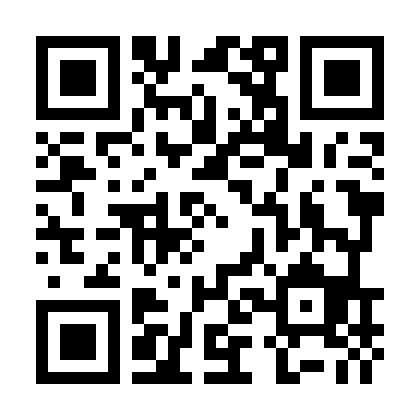
View subscribers, share the sign-up QR code, and send updates.
Marketing insights
Traffic, CTA clicks, conversions, and leads from w2ms.com and w2ms.ca.
Conversions
Top pages
Top CTAs
Conversions by goal
Viewers by country
Country only - IP addresses are not stored.
Traffic sources (UTM)
Crawler & bot traffic
Bots are detected from User-Agent on a lightweight page beacon. Human engagement metrics above exclude bots.
Bot visits over time
Bots by type
Security monitoring
Rate limits, failed logins, CSRF blocks, probes, and bot form abuse. Hashed IP buckets only - no raw IPs stored.
Security events over time
Events by type
Top endpoints
Image background remover
Pick the colour to remove, choose a Result background if you want, and download a transparent PNG or one with that fill. Everything runs in your browser - no upload to the server.
Drop an image here or click to browse
PNG, JPG, GIF, WEBP, BMP, SVG
PNG, JPG, GIF, WEBP, BMP, SVG
Settings
High quality uses more memory and takes longer on large images.
30
40
Original
Result
Comments
Use @Name to mention a teammate - they will get an email.